 Dotday
Getting started
Install Dotday from Google Play and open it. A short welcome asks what you want to improve and suggests a few habits to start with — you can change everything later.
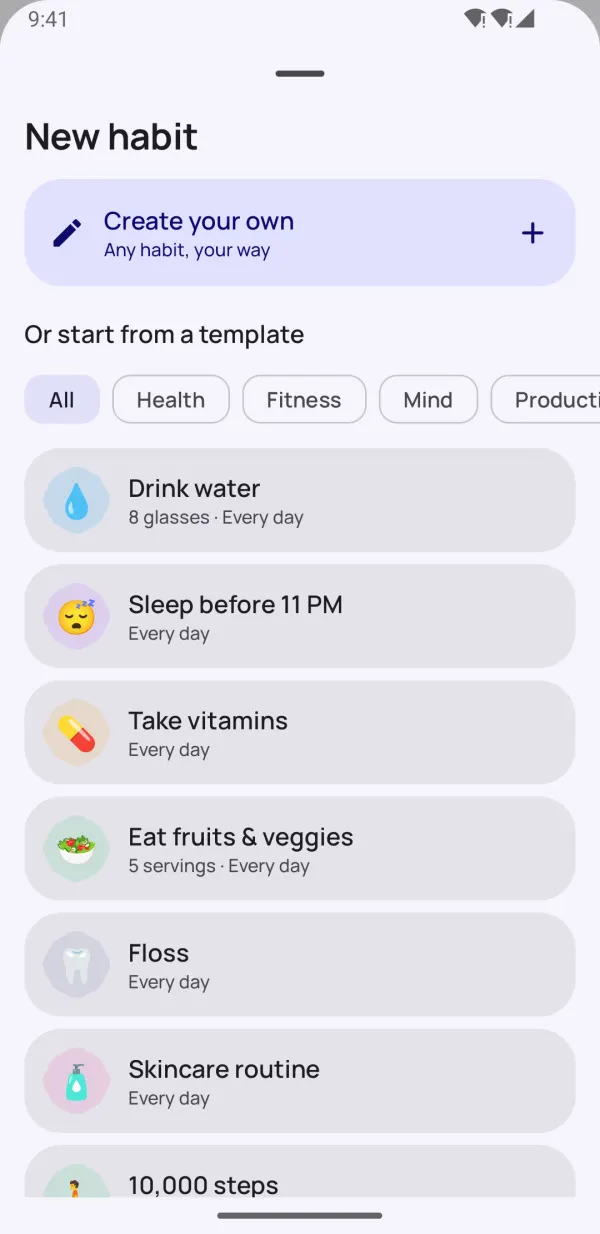
- Tap the + button on the Today screen.
- Pick one of the 40 templates (drink water, read, work out, meditate, no smoking…) or choose Create your own.
- Set a name, icon, color, type and schedule, then save.
Tip: start with 2–3 habits. Starting small works much better than trying to change everything at once.
Choose the right habit type
Every habit has one of four types. The type can't be changed after the habit is created, so pick the one that fits best:
| Type | Use it for | Example |
|---|---|---|
| Yes / No | Done or not done | Meditate, make the bed |
| Count | Reach a number | 8 glasses of water, 20 pages |
| Timer | Spend time on it | 30 minutes of reading |
| Quit | Break a bad habit | No smoking, no sugar |
Schedules and time of day
Not every habit has to be daily. In Schedule choose:
- Every day
- Specific days — e.g. Monday, Wednesday, Friday
- Weekly goal — e.g. 3 times a week, any days
- Monthly goal — e.g. 10 times a month
- Every N days — e.g. every 2 days
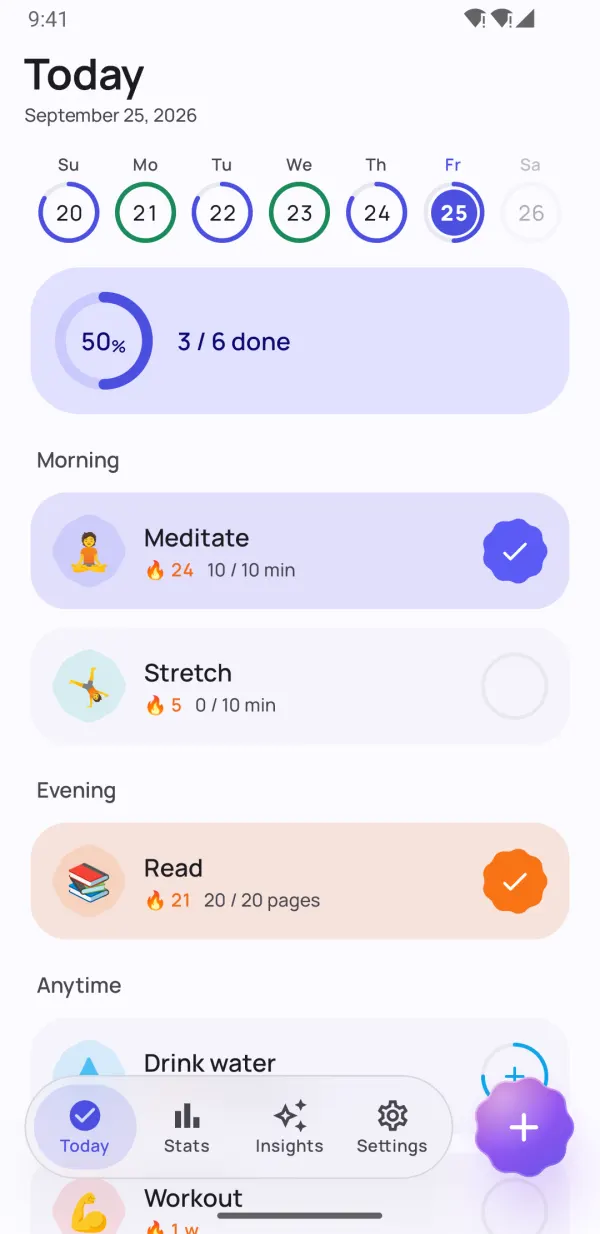
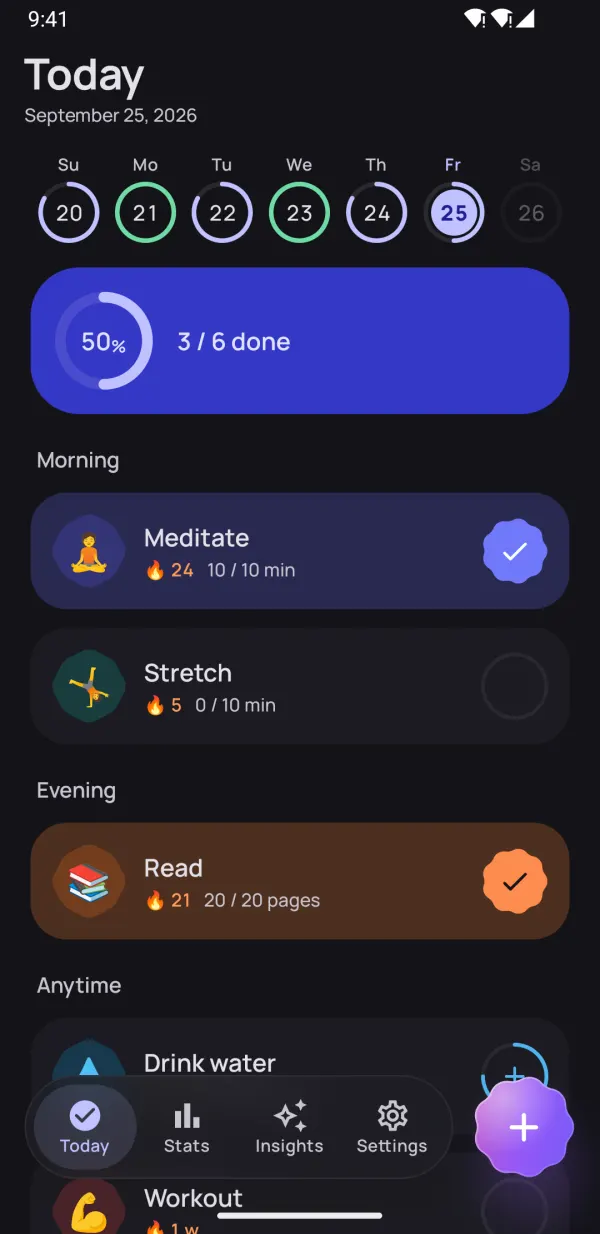
With Time of day you can put a habit into the Morning, Afternoon or Evening group (or Anytime), so the Today screen reads like a plan for your day. To change the order, long-press any habit and choose Reorder habits.
Checking in
On the Today screen tap the circle next to a habit to mark it done. For count habits each tap adds progress; for timer habits Start timer runs a timer with a live notification you can pause or finish.
Use the week strip at the top to open a previous day and fix a missed check-in.
Long-press a habit to open more actions: skip the day, use a streak freeze, add a note for the day, clear it or reorder your habits.
Streaks, freezes and habit strength
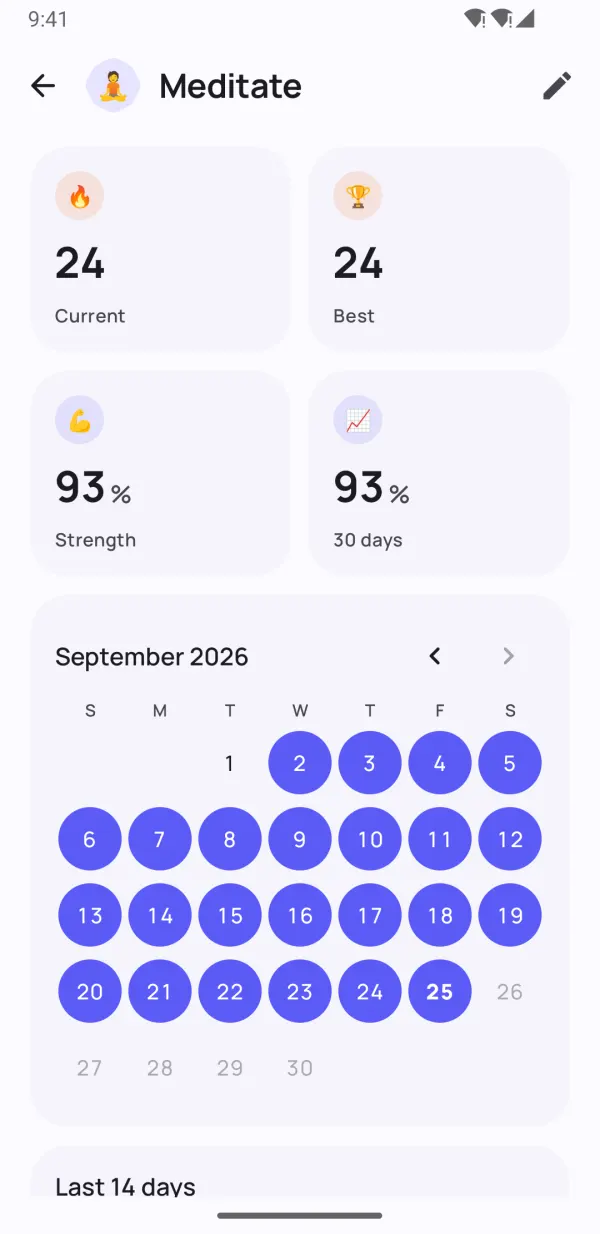
Your streak counts how many scheduled days in a row you've completed a habit. Dotday is built to forgive real life:
- Skip this day — rest without breaking your streak.
- Streak freeze ❄️ — protects your streak on a day you couldn't do it. Free users get 1 freeze a month, Pro users get 5.
- Habit strength — a 0–100% score that grows with every check-in and drops gently when you miss. One bad day doesn't erase weeks of work.
Tip: watch habit strength rather than the streak. Around 80%+ the habit is becoming automatic.
Reminders
Edit a habit, tap Add reminder and choose a time. When the notification arrives you can tap Done or In 10 min without opening the app. Free users get 1 reminder per habit; Pro users get up to 5.
If reminders don't arrive, make sure notifications are allowed for Dotday and that battery optimization isn't stopping the app (Settings → Apps → Dotday → Battery → Unrestricted).
Widgets, tile and shortcuts
Long-press an empty spot on your home screen, tap Widgets and find Dotday:
- Today's habits — check habits off right from the home screen.
- Habit streak PRO — one habit with its progress ring and streak.
- Habit history PRO — a habit's recent weeks as a heatmap.
You can also add the Next habit tile to Quick Settings, and long-press the Dotday icon for a New habit shortcut.
Statistics and insights
The Stats tab shows heatmaps, calendars and completion trends for 7, 30 and 90 days, plus your best streaks. Free users see the last 30 days; Pro unlocks the full history.
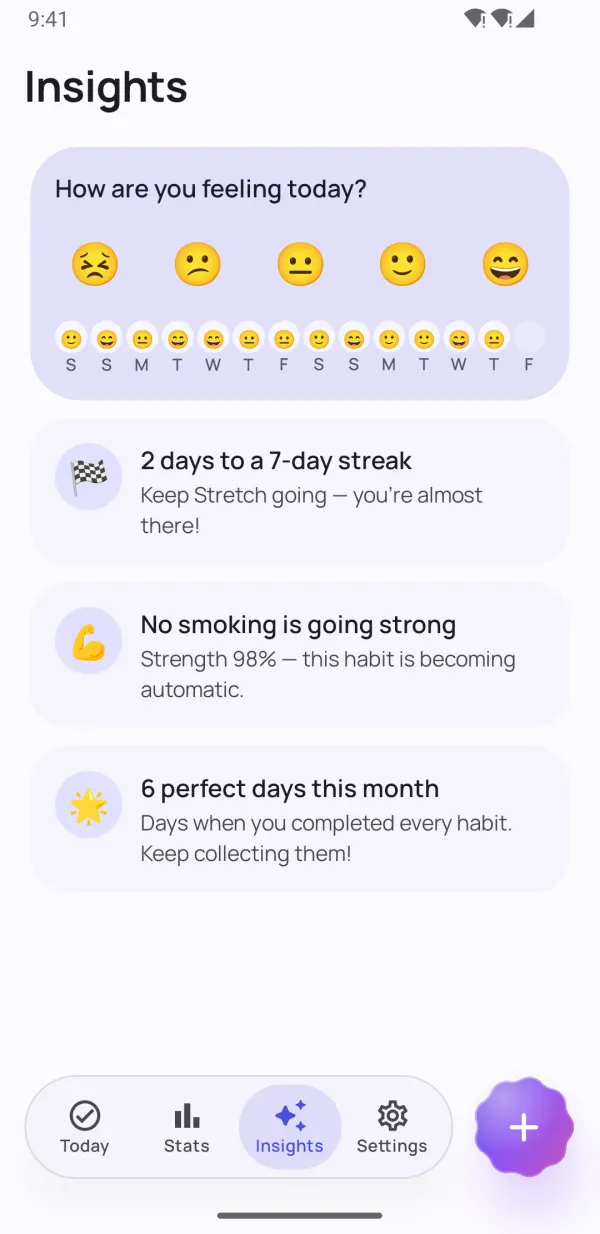
In Insights, answer “How are you feeling today?” with one tap. Over time Dotday shows your best and hardest days, which habits are becoming automatic and which habits lift your mood. Free users see 2 insights; Pro unlocks all of them.
Health Connect
PRO Connect a habit to Health Connect and it can be completed automatically from your fitness apps and watch: steps, sleep or exercise. Edit the habit, choose a source in the Health Connect section and allow access. Data syncs when you open Dotday.
Backup and moving to a new phone
Your data lives only on your phone, so keep a backup:
- Open Settings → Your data.
- Tap Export backup PRO to save all habits and history as a JSON file (or Export to spreadsheet for a CSV you can open in Excel or Google Sheets).
- On the new phone, install Dotday, open Settings → Your data → Restore from backup and pick the file. Restoring is free.
Note: restoring replaces all habits and history currently on that device.
7 tips to make a habit stick
- Start tiny. “Read 2 pages” beats “read an hour”. You can always do more.
- Anchor it. Attach the new habit to something you already do: “after coffee, I meditate”.
- Make it visible. A home-screen widget is a reminder you see 50 times a day.
- Never miss twice. Missing once is life; missing twice is the start of a new habit. Use a skip or freeze and get back the next day.
- Pick a realistic schedule. 3 times a week that you actually do is better than daily that you abandon.
- Track how it feels. Log your mood — seeing that a habit makes you happier is the best motivation.
- Be patient. Habits take weeks, not days, to become automatic. Watch habit strength grow.
Ready to start?
Dotday is free on Google Play. No account needed.